POLITIKAL.ID – Banjir yang melanda berbagai wilayah di Kalimantan Timur, termasuk Samarinda, menjadi sorotan publik dalam beberapa pekan terakhir.
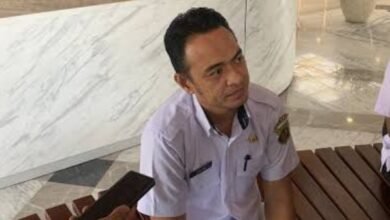
Di tengah kekhawatiran masyarakat, hadir pandangan objektif dan solutif dari Dr Warsilan, pakar Tata Kelola Kota sekaligus Dosen S2 Ilmu Lingkungan Universitas Mulawarman.
Menurut Dr Warsilan, banjir bukan semata-mata persoalan teknis atau lemahnya kinerja pemerintah, melainkan fenomena kompleks yang juga dipengaruhi oleh kondisi geografis serta perubahan iklim ekstrem yang makin sulit diprediksi.
Namun demikian, ia menegaskan bahwa kebijakan pemerintah tetap menjadi elemen kunci dalam pengendalian banjir secara menyeluruh.
Utamanya ada tiga aspek yang dia sorot, mulai dari pendanaan program kerja, pembangunan infrastruktur yang terintegrasi dan komitmen pemerintah untuk penyelesaian total persoalan banjir.
“Karena dalam tata kelola pemerintah ada program. Ada yang jangka menengah dan jangka panjang pembangunan. Di dalamnya ada prioritas pembangunan dan yang tak kalah penting harus adanya anggaran yang memadai,” jelas Dr Warsilan, Sabtu (31/5/2025).
Lanjut dijelaskannya, penyelesaian persoalan klasik Kota Tepian ini juga bergantung pada komitmen kerja pemerintah. Utamanya untuk mensukseskan rancangan kerja jangka menengah dan jangka panjangnya.
“Program kerja sudah ada. Mulai dari jangka panjang, menengah dan pendek. Tapi bisa dijaga tidak komitmen programnya?” tegas Dr Warsilan.
Dengan bijak, Warsilan juga menyampaikan kalau program penanggulangan banjir yang sedang dilanjutkan Pemerintah Kota Samarinda, memang tidak layak untuk dibanding-bandingkan dengan daerah lainnya. Pertama, karena persoalan geografis yang tidak mungkin sama di setiap wilayah Indonesia.
Kendati demikian, Dr Warsilan tak lupa memberikan apresiasinya terhadap upaya pemerintah yang sejauh ini dinilai masih komitmen untuk mengentaskan persoalan banjir di Samarinda. Seperti pembenahan infrastruktur disegmen revitalisasi drainase, pembangunan polder atau embung, hingga normalisasi kawasan Sungai Karang Mumus.
“Ada perubahan signifikan, misalnya air saat ini tidak lagi menggenang dalam waktu lama seperti dulu,” tambahnya.
Dr Warsilan juga sedikit merinci aspek pendanaan yang dinilainya sangat penting untuk penyelesaian persoalan banjir. Kebutuhan dana besar untuk pembangunan dan pengintegrasian infrastruktur, dirasa Dr Warsilan bukan hanya menjadi beban sendiri untuk pemerintah kota. Sebab bantuan dana dari pemerintah provinsi, pemerintah pusat maupun dan kerjasama asing dan CSR pihak swasta juga sangat diperlukan.
“Dengan kerjasama asing kita bisa saling bertukar teknologi. Jadi fokus penanganan itu bukan untuk meniadakan atau menghilangkan banjirnya, tapi lebih ke arah manajemennya bagaimana air tidak lagi menggenang atau mengganggu aktifitas perekonomian daerah,” tegasnya.
Diakhir, Dr Warsilan menyampaikan jika pemerintah ingin fokus menyelesaikan pengentasan banjir, maka penggunaan dana APBD Kota Samarinda harus difokuskan untuk kebijakan atau program yang berhubungan langsung dengan hal tersebut.
“Penggunaan APBD itu harusnya di atas 50 persen, kalau mau betul-betul menyelesaikan persoalan banjir. Jadi jangan dibesarkan anggaran untuk belanja pegawai dan lainnya. 50 persen harus ke infrastruktur yang terintegrasi sebagai komitmen utuh pemerintah,” pungkasnya.
(tim redaksi)